
Editing guide
How to Edit Paris Travel Portraits to Look Like Film on iPhone Without Dull Skin Tones
A practical Paris travel portrait film recipe for iPhone with lively skin, soft daylight color, restrained grain, and enough contrast to keep sidewalks and stone from washing the subject out.
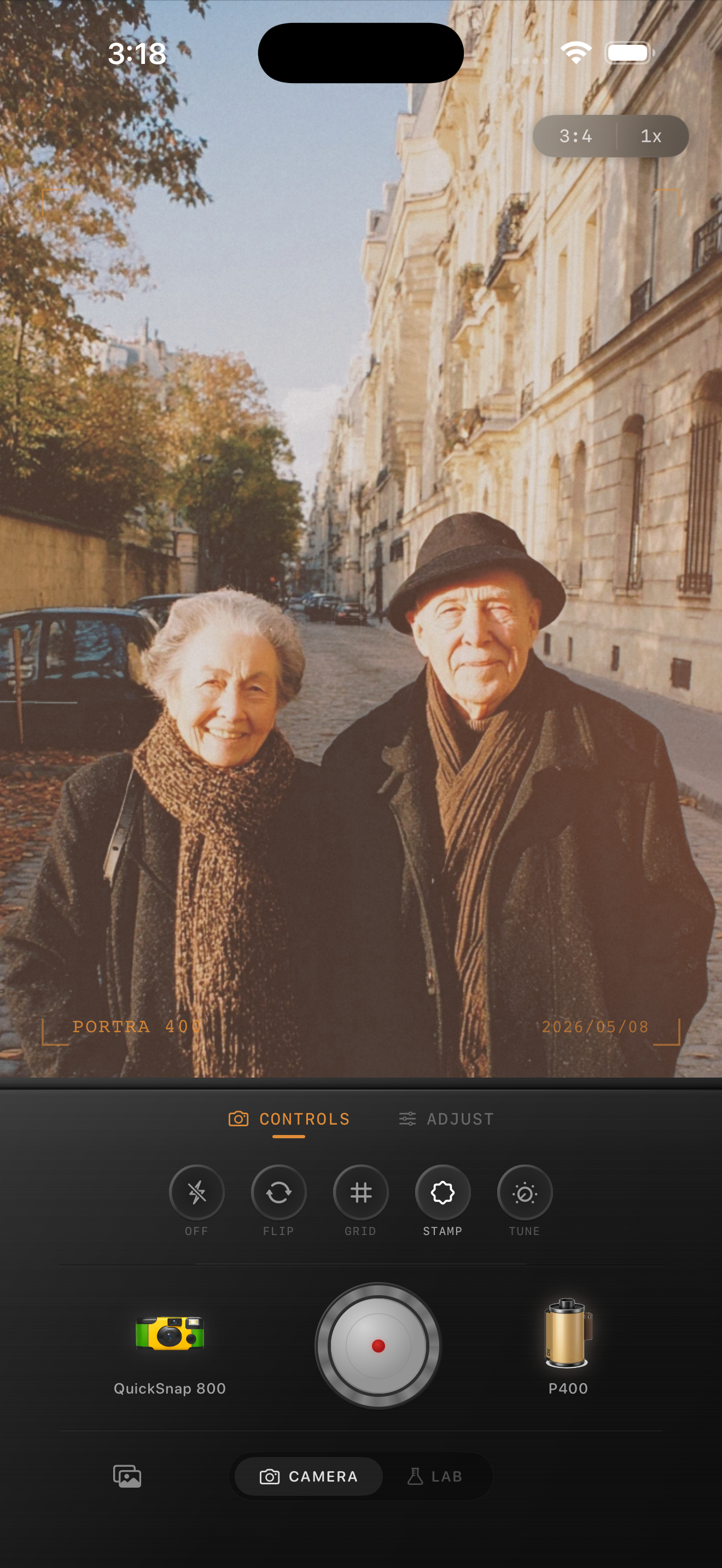
Travel portraits go dull when the whole frame is treated the same
Paris travel portraits often mix pale stone, cool sidewalks, dark coats, and soft daylight. When you chase a film look by adding too much fade and too much grain across the entire frame, skin loses energy first. The result looks flat even if the architecture still looks pretty.
A stronger film-style edit keeps the city calm while letting the person stay alive. That means skin needs its own attention instead of being sacrificed to the background mood.
- Keep grain fine to moderate.
- Use only a small warmth increase.
- Let pale stone stay slightly neutral.
- Use fade carefully so faces do not go chalky.
- Favor a cleaner body over rough disposable texture.
A dependable Paris travel portrait recipe
Start around film intensity 68-80%, grain 20-30%, warmth +3 to +7, fade 2-5%, and vignette 3-7%. That range usually softens the iPhone finish while keeping enough density in faces, coats, and pavement for the portrait to hold together.
If skin still looks tired, reduce fade before adding more warmth. If the city background starts feeling muddy, lower grain first. Travel portraits usually work best when the analog feeling comes from softness and color control rather than obvious damage.
Check face color against stone and coats
Use the background as a reference instead of guessing. If pale stone walls and sidewalks are already warm, skin does not need much more warmth. If coats or bags start merging into the pavement, the fade is probably too high. When the face separates clearly from both the stone and the darker clothing, the edit is close.
This is also where small grain helps. Too much texture makes wrinkles, pores, and fine details fight with the subject instead of supporting the print-like mood.
Let the city do the nostalgic work
Paris streets already carry atmosphere through architecture, posture, and soft daylight, so the camera treatment can stay fairly clean. A compact-film or 35mm-inspired body usually suits these portraits better than a rough disposable style.
In Nostalgia Cam, start with the cleaner body, then add only enough grain and warmth to make the frame feel printed. If you describe the result with Kodak-style or Fuji-style language, keep it framed as inspiration only and not as any affiliation claim.
Keep travel portraits soft, not washed out
Use Nostalgia Cam to combine a cleaner camera body with film-inspired color, grain, fade, and vignette so Paris travel portraits keep lively skin and calm city detail.
FAQ
Why do travel portrait film edits make skin look dull?
Usually because fade and grain are pushed too far across the whole image, which drains density from faces before it improves the street background.
Should Paris travel portraits be warmed up a lot to look like film?
Usually no. A small warmth boost is enough. Too much warmth makes skin, stone, and sidewalks collapse into the same beige cast.