
Editing guide
How to Edit iPhone Fireplace Photos to Look Like Film Without Flat Shadows
A practical fireplace photo film recipe for iPhone with warmer light, shaped shadows, restrained grain, and enough contrast to keep cozy indoor scenes from turning muddy.
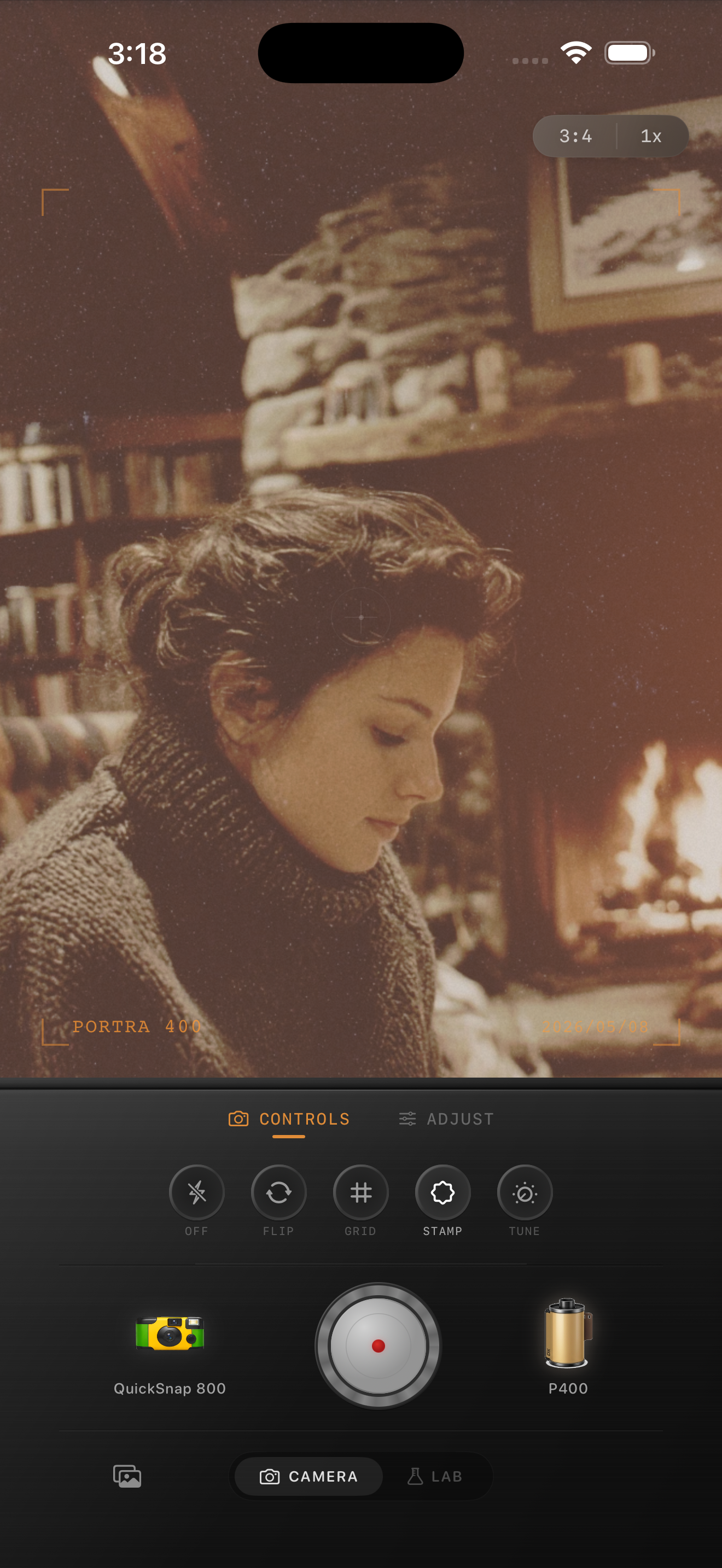
Flat shadows ruin cozy fireplace photos fast
Fireplace photos already have the warmth people want from a film look, but iPhone processing often smooths the darker parts of the frame until blankets, hair, books, and furniture all collapse into the same soft brown mass. Then the image feels muddy instead of intimate.
A better film-style edit keeps the glow from the fire while protecting shape in the room. You want warm light on the subject, but you also want enough shadow depth that the scene still feels dimensional.
- Keep warmth focused on the light, not the whole frame.
- Use moderate grain instead of heavy texture.
- Add only a small amount of fade.
- Let the darkest corners stay dark enough to frame the subject.
- Choose a cleaner film body before a rough disposable one.
A practical fireplace settings range
Start around film intensity 72-84%, grain 24-34%, warmth +7 to +14, fade 3-6%, and vignette 5-10%. That range usually softens the digital finish without flattening the shadow structure that makes fireplace scenes feel real.
If the room turns muddy, lower fade first. If skin goes orange, reduce warmth before changing grain. Fireplace edits usually improve more from cleaner tone separation than from stronger vintage effects.
Use skin, pages, and the darkest fabric as checks
Three quick checks help you stop at the right point. First, look at skin: it should feel warm, not orange. Second, look at a neutral object like a book page, mug, or blanket fold: it should keep some separation instead of becoming beige mush. Third, look at the darkest sweater, chair edge, or shadowed wall: it should stay deep enough to anchor the image.
If those three areas still look distinct, the photo usually reads as a real film-inspired interior instead of an overcooked preset.
Let the fire create the mood
A fireplace scene already supplies most of the nostalgia through the light itself. That means you rarely need aggressive dust, scratches, or rough disposable grain. A cleaner compact-film or 35mm-inspired body usually suits the moment better.
In Nostalgia Cam, start with the calmer body and use grain, warmth, and fade sparingly. If you describe the result with Kodak-style or Fuji-style language, keep it framed as visual inspiration only and not as any affiliation claim.
Keep fireplace photos warm but dimensional
Use Nostalgia Cam to pair a cleaner camera body with film-inspired color, grain, fade, and vignette so firelit iPhone photos stay cozy without losing shadow shape.
FAQ
Why do fireplace film edits get muddy on iPhone?
Usually because warmth and fade are pushed too far together, which removes the contrast that keeps faces, blankets, books, and background shadows separated.
Should fireplace photos use strong grain to look like film?
Usually no. Moderate grain works better because the scene already has enough mood from the warm light and dark background.