
Editing guide
How to Edit Eiffel Tower Photos to Look Like Film on iPhone
A practical Eiffel Tower film-look guide for iPhone photos, with cleaner travel color, restrained grain, and enough softness to make landmark shots feel printed instead of processed.
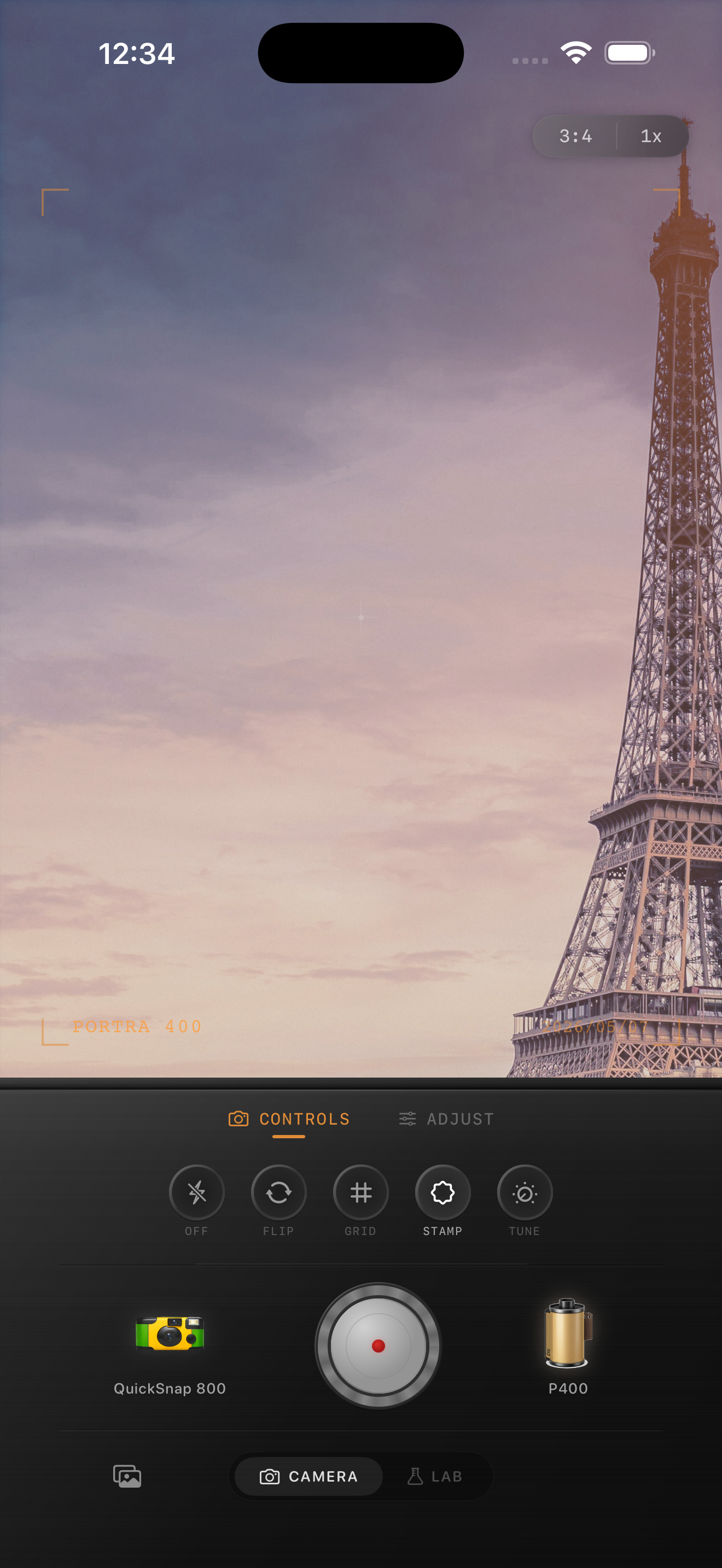
Landmark photos need atmosphere more than heavy effects
Eiffel Tower photos already have structure, scale, and mood. The edit does not need to prove that the image is vintage. It needs to soften the default iPhone polish so the scene feels like a real travel print you kept.
That usually means cleaner grain, mild warmth, and softer contrast than you would use for nightlife or disposable-camera edits. If the landmark still feels elegant after the edit, you are closer to film than if you force rough texture over the whole frame.
A reliable starting point for Paris travel shots
Start around film intensity 70-84%, grain 20-32%, warmth +4 to +9, fade 3-7%, and vignette 4-8%. This is usually enough to calm bright sky, stone, metal, and skin without making the frame look muddy.
If the scene is overcast, lean slightly warmer. If it is bright afternoon light, keep warmth and grain lower so the tower, sidewalks, and sky stay clean.
- Use lighter grain than you would for bar or flash photos.
- Protect neutral tones in sky, pavement, and stone.
- Keep detail in the tower instead of hiding it with fade.
- Let the travel mood come from color and softness first.

Choose the camera mood by the moment
A clean 35mm-inspired body usually works best for tower views, café tables, bridges, and portraits taken around the city. A rougher disposable-style body makes more sense only if the image is a quick flash snapshot at night or a playful group shot.
Treat the landmark photo like part of a travel roll, not like a novelty effect. The camera personality should match the memory.
Keep the edit from turning postcard-fake
The most common mistake is adding too much warmth, fade, and vignette at the same time. That can make Paris photos feel staged and yellow rather than cinematic.
In Nostalgia Cam, choose the camera body first, then tune the film look until the image feels softer and more tactile while the tower still looks real.
Make travel landmarks feel printed, not filtered
Use Nostalgia Cam to pair Paris photos with a cleaner film-style camera body, controlled grain, gentle warmth, and soft contrast so landmark shots keep their atmosphere without looking overedited.
FAQ
Should Eiffel Tower photos use heavy grain to look like film?
Usually no. Travel landmark photos tend to look better with restrained grain so the structure, sky, and surrounding details stay clear while the image still feels softer and more analog.
What kind of film look works best for Paris photos on iPhone?
Most Paris travel photos look best with a cleaner 35mm-inspired treatment: mild warmth, softer contrast, and moderate texture rather than a rough disposable effect.