
Editing guide
Best Film Settings for Urban Winter Portraits on iPhone
A practical film-look recipe for urban winter portraits on iPhone: clean snow, natural skin, brick and coat color that stays believable, and enough grain to feel printed instead of processed.
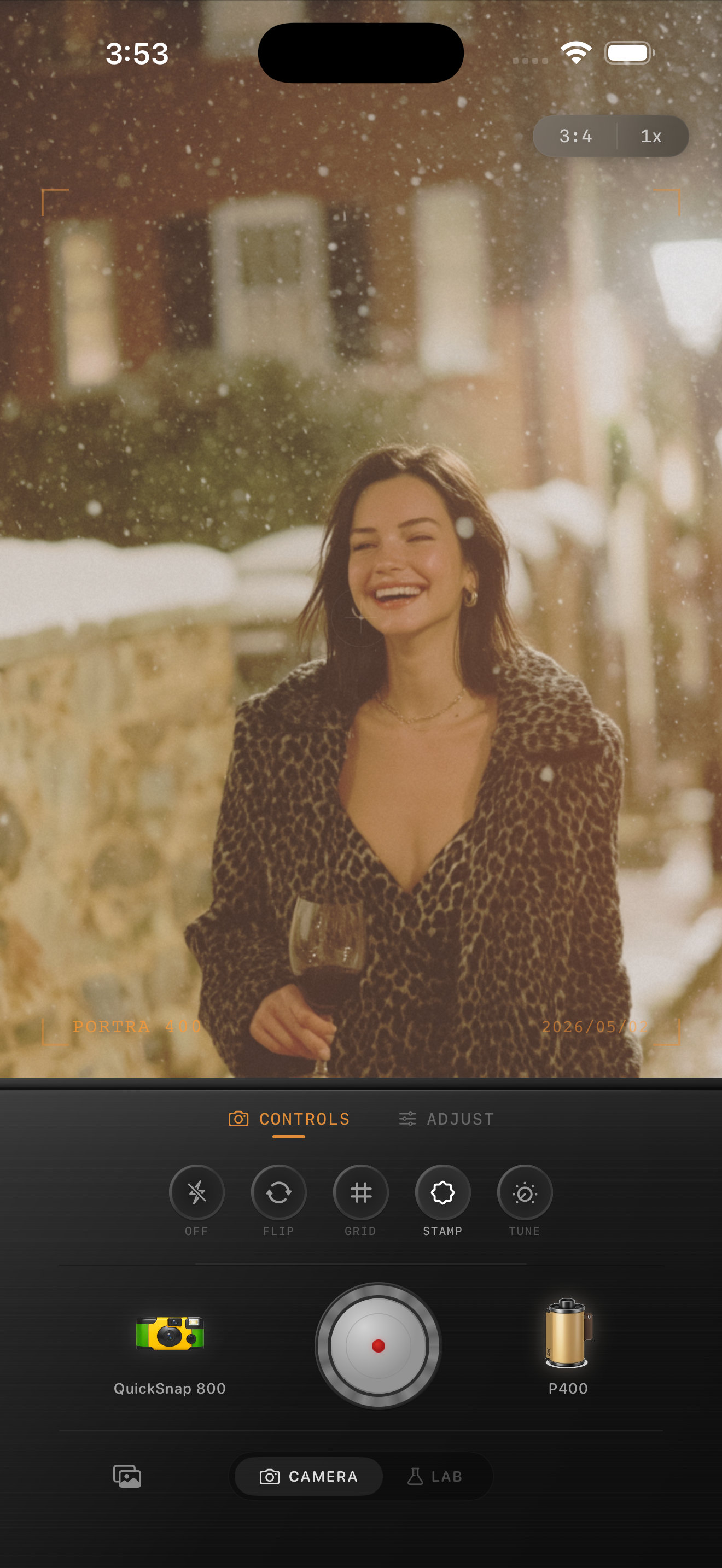
Winter city portraits need balance more than drama
Urban winter portraits already have a strong mood: cold air, layered coats, pale daylight, brick, concrete, and a little softness from the season itself. The edit works best when it keeps that contrast between cool surroundings and human warmth.
Most failed winter edits lean too far in one direction. Either the whole photo goes blue and lifeless, or the warmth gets pushed so hard that snow, skin, and stone turn yellow. A believable film look sits in the middle.
A reliable settings baseline for snowy streets
Start around film intensity 72-84%, grain 22-34%, warmth +4 to +9, fade 4-8%, and vignette 4-9%. That usually softens the default iPhone crispness while keeping skin, coats, and snow believable.
If the street is bright with fresh snow, stay lower on warmth and grain. If the photo was taken later in the day with darker coats, brick, and softer sky, you can push warmth a little more before adding extra fade.
- Keep snow neutral first, then tune skin.
- Use fine to medium grain instead of rough disposable texture.
- Protect reds and browns so brick and coats stay rich.
- Let fade soften the mood without flattening faces.
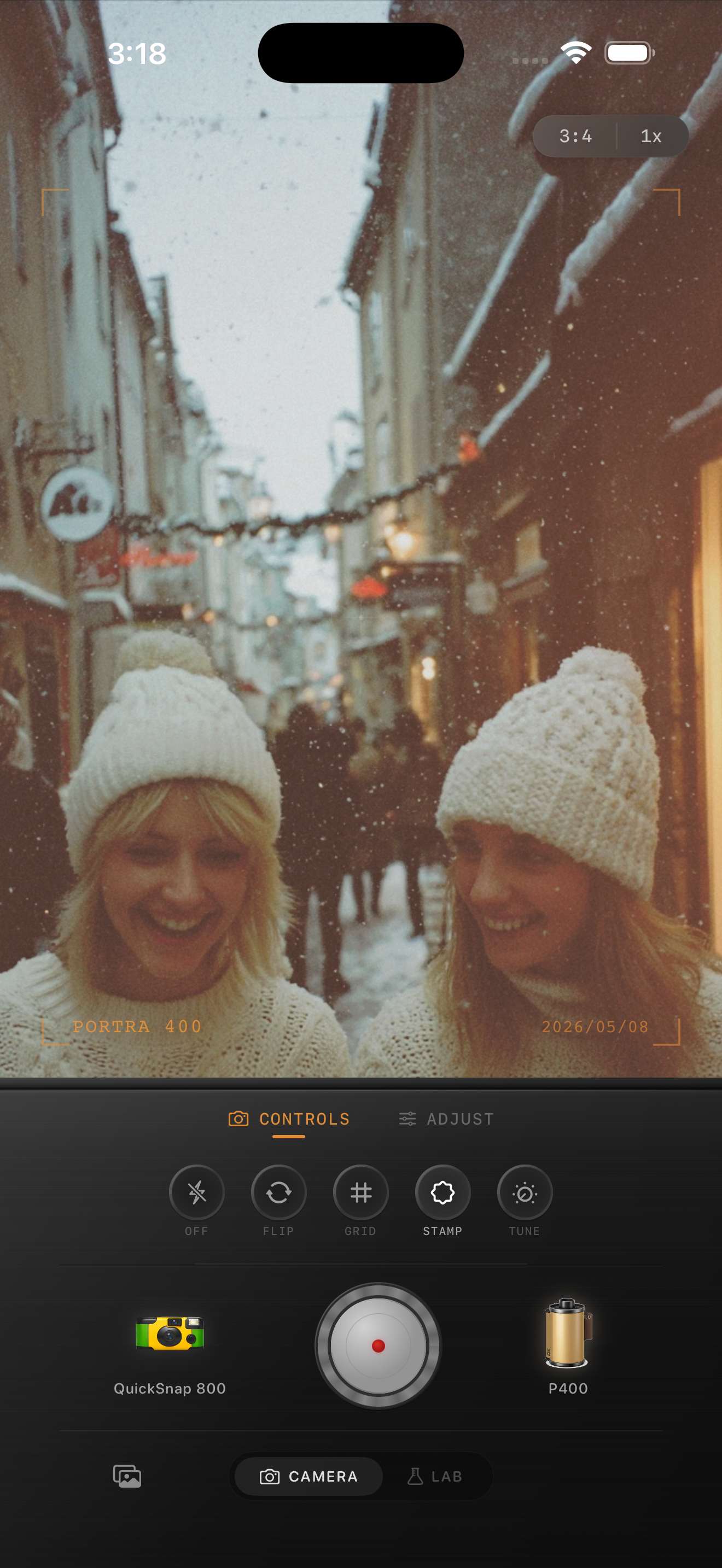
Judge the edit from skin, snow, and brick
These three surfaces tell you quickly whether the photo is working. If skin goes gray, add a little warmth. If snow goes beige, pull the warmth back. If brick loses depth, lower fade before adding more contrast.
That order matters because winter portraits usually need subtle correction, not a giant color swing. Once those three areas look natural, the film look is usually close.
Choose a cleaner camera mood
Most urban winter portraits work better with a compact or 35mm-inspired body than with a rough disposable one. The street already gives you enough texture through boots, scarves, snow, and architecture.
In Nostalgia Cam, start with the cleaner body first, then tune grain, warmth, fade, and vignette until the portrait feels like a printed city memory instead of a sharpened phone file.
Keep winter city portraits soft and believable
Use Nostalgia Cam to shoot or import urban winter portraits, then balance camera mood, grain, warmth, fade, and vignette so snowy street photos feel calm, tactile, and naturally film-inspired.
FAQ
How much grain should urban winter portraits use on iPhone?
Usually fine to medium grain around 22-34% works well. That is enough to soften the digital file without making snow or skin look dirty.
Should winter city portraits be edited warm to look like film?
A little warmth usually helps, but not a heavy push. The goal is warm skin and fabric against cool air, not a fully yellow winter frame.