
Editing guide
Best Film Settings for Snowy Sidewalk Photos on iPhone
Snowy sidewalk photos need restrained grain, warmer skin tones, protected whites, and enough fade to feel like winter film instead of cold HDR.
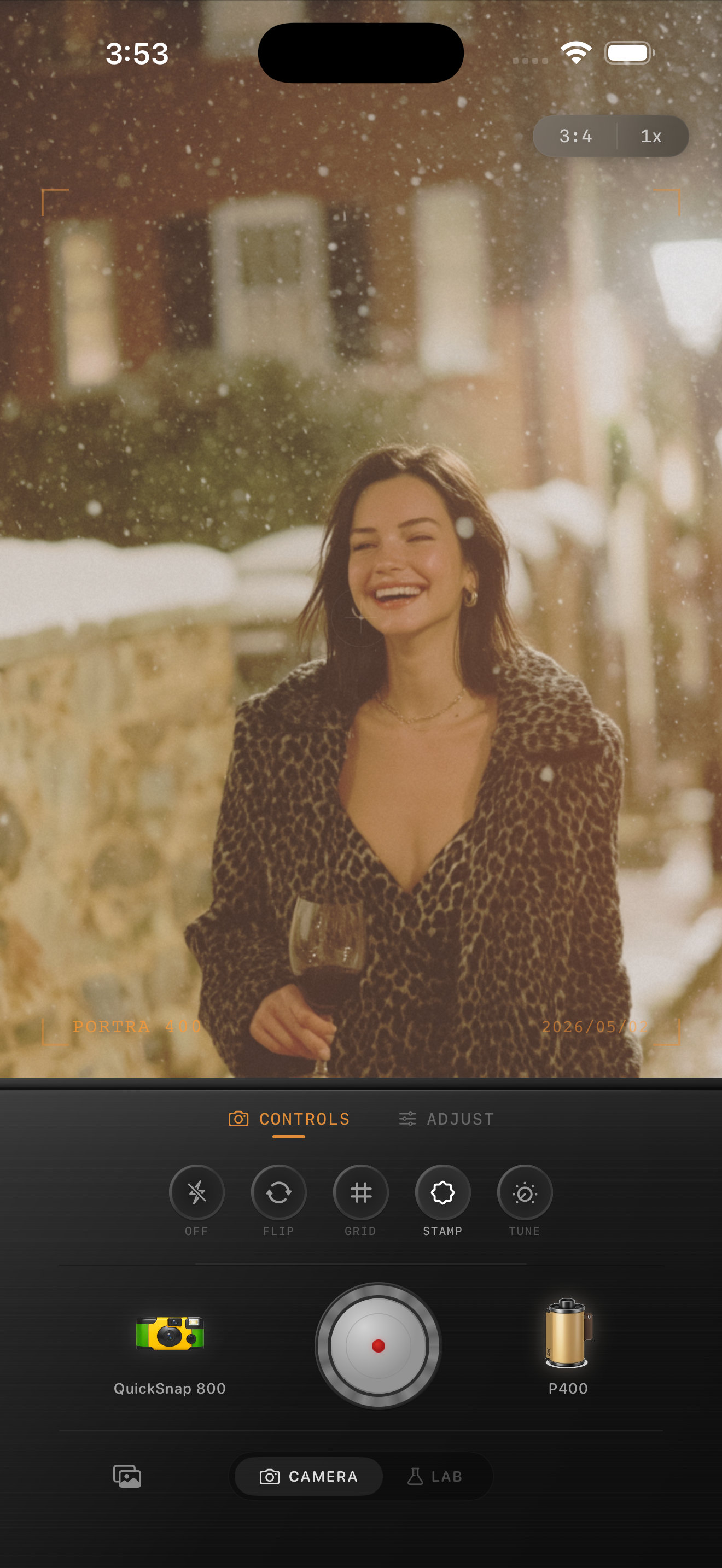
Snowy sidewalks need warmth without turning yellow
Snow scenes on iPhone often swing between two problems: the camera makes everything too blue, or the edit adds so much warmth that the snow stops looking real. A better film-style result keeps the whites soft and neutral while letting skin, coats, brick, and street details carry the warmth.
That is why snowy sidewalk photos usually look best with a gentler recipe than indoor or nightlife edits. The scene already has contrast from bright snow and dark pavement, so the job is to calm the digital crispness rather than pile on effects.
A practical winter street recipe
Start with film intensity around 72-84%, grain around 18-30%, warmth around +5 to +10, fade around 4-8%, and vignette around 5-10%. Keep the grain fine. Snow highlights get fake quickly when the texture is too chunky.
If the sidewalks look gray and lifeless, raise warmth slightly before adding more contrast. If the snow already looks clean and bright, leave the highlights alone and focus on softer shadows and skin tone balance.
- Protect white snow from clipping into flat patches.
- Keep grain finer than you would for flash or bar photos.
- Use a small fade so coats and pavement stay textured.
- Let brick, trees, and signs carry most of the color.
- Stop before the scene loses its cold-weather feel.
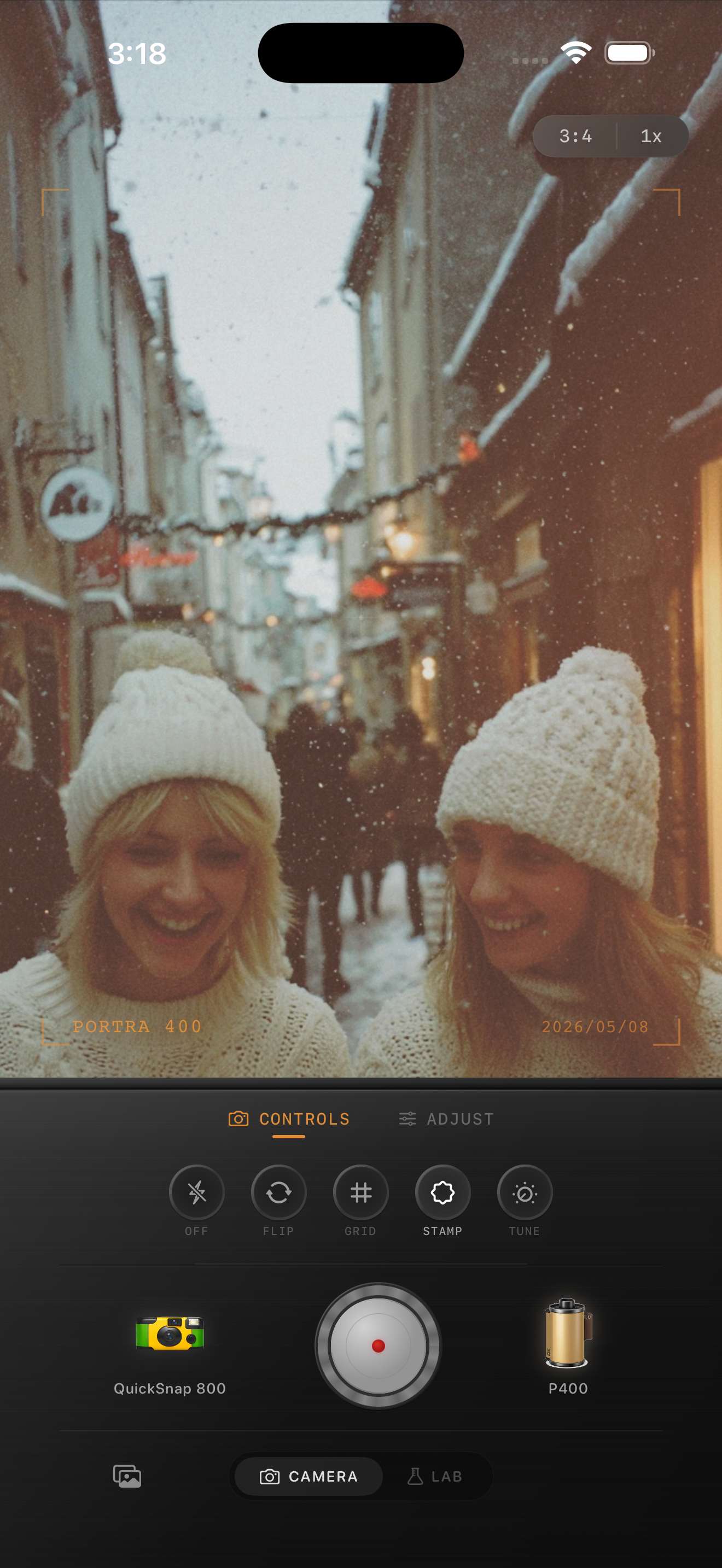
Use the street details to sell the film look
Brownstones, crosswalks, parked cars, boots, scarves, and footprints help the frame feel photographic before grain even enters the picture. Lean on those details. They give the edit texture without forcing the whole image into heavy vintage styling.
A believable winter film look should still feel clear enough to read faces and fabric. If the grain makes the snow look dirty or the background too muddy, back it off.
When a snowy photo starts to feel natural
The edit is close when the image looks like a cold-weather print rather than a filtered phone shot. Snow should feel soft, not sterile. Skin should feel alive, not orange. The street should still look like winter.
Check the image small on your phone screen. If the mood lands before the texture stands out, you are in the right range.
Dial in winter street shots in Nostalgia Cam
Use Nostalgia Cam to shoot or import snowy sidewalk photos, then balance warmth, fine grain, fade, and subtle vignette until the scene feels like a winter film print instead of a sharp HDR capture.
FAQ
How much grain should I use for snowy sidewalk photos?
Usually less than you would for nightlife or disposable-camera edits. Fine grain around 18-30% keeps snow clean while still breaking up the digital smoothness.
Should snowy film edits be warm or cool?
They should usually stay slightly cool overall, with just enough warmth in skin tones and street details to keep the photo from feeling sterile.