
Editing guide
Best Film Settings for Snowy Date Night Photos on iPhone
A practical winter date-night film recipe for iPhone: clean snow, warm skin, glowing windows, restrained grain, and enough softness to make cold-weather evening photos feel nostalgic instead of muddy.
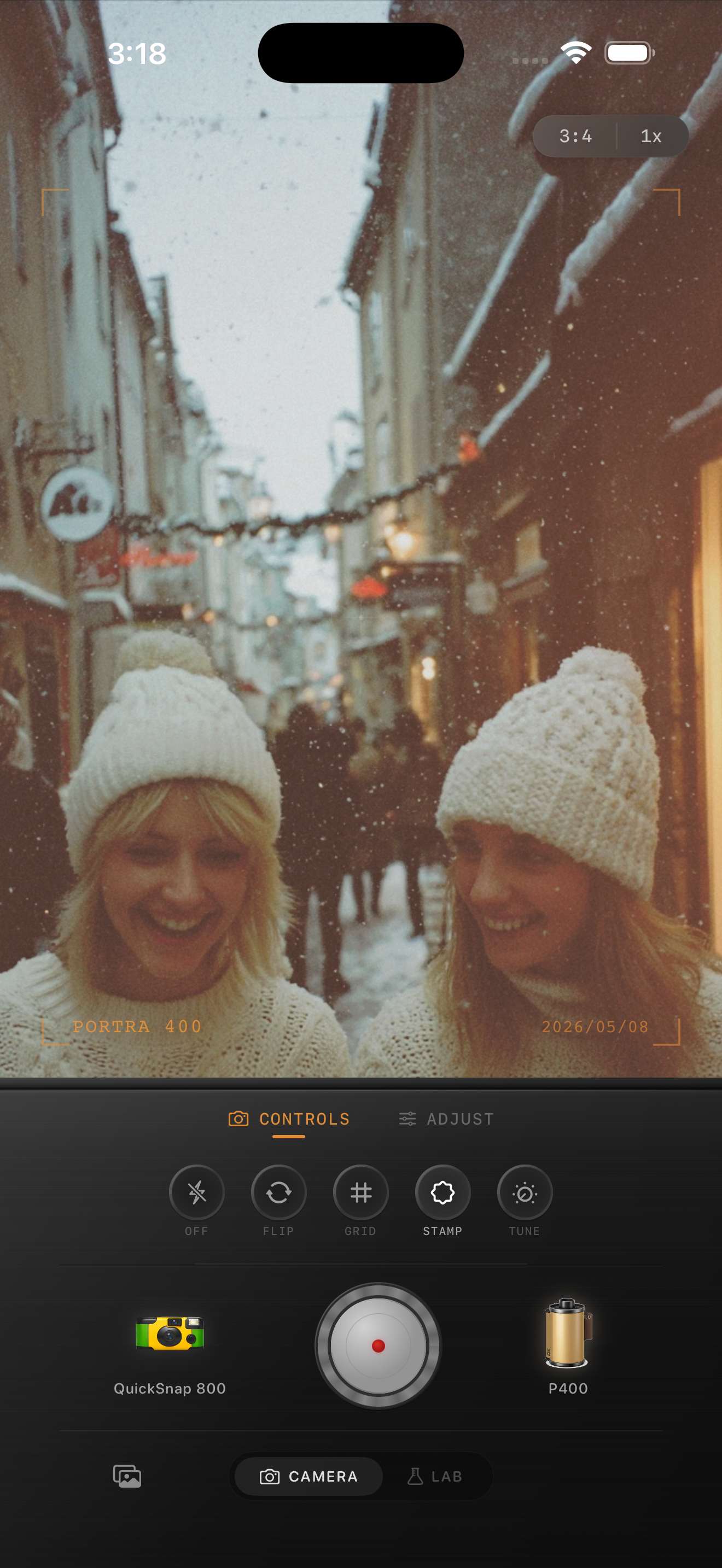
Snowy night photos need two moods at once
Snowy date-night photos usually work because they hold a nice tension: cold air outside, warmer light on faces, and small glowing pockets from street lamps, restaurant windows, or passing cars. A film-style edit should keep both temperatures alive instead of warming the whole frame until the snow turns beige.
That is the main challenge on iPhone. The file can look too sharp and too blue at first, but if you overcorrect with warmth, fade, and grain, the image loses the winter feeling that made it special.
- Keep snow close to white with only a slight cream tint.
- Warm skin and window light before you warm the whole frame.
- Use fine-to-medium grain so scarves, coats, and snow stay clean.
- Let darker sidewalks and trees keep some contrast.
- Use a small vignette only if the edges feel too polished.
A dependable settings baseline for winter evenings
Start around film intensity 74-88%, grain 24-36%, warmth +5 to +11, fade 4-8%, and vignette 4-9%. That range usually softens the digital edge while keeping cheeks alive and snowy highlights believable.
If the scene already has warm storefronts or lamp light, stay lower on warmth and let those areas do the emotional work. If it was shot in flatter blue-hour snow, add just enough warmth to the people first, then judge the rest of the frame.
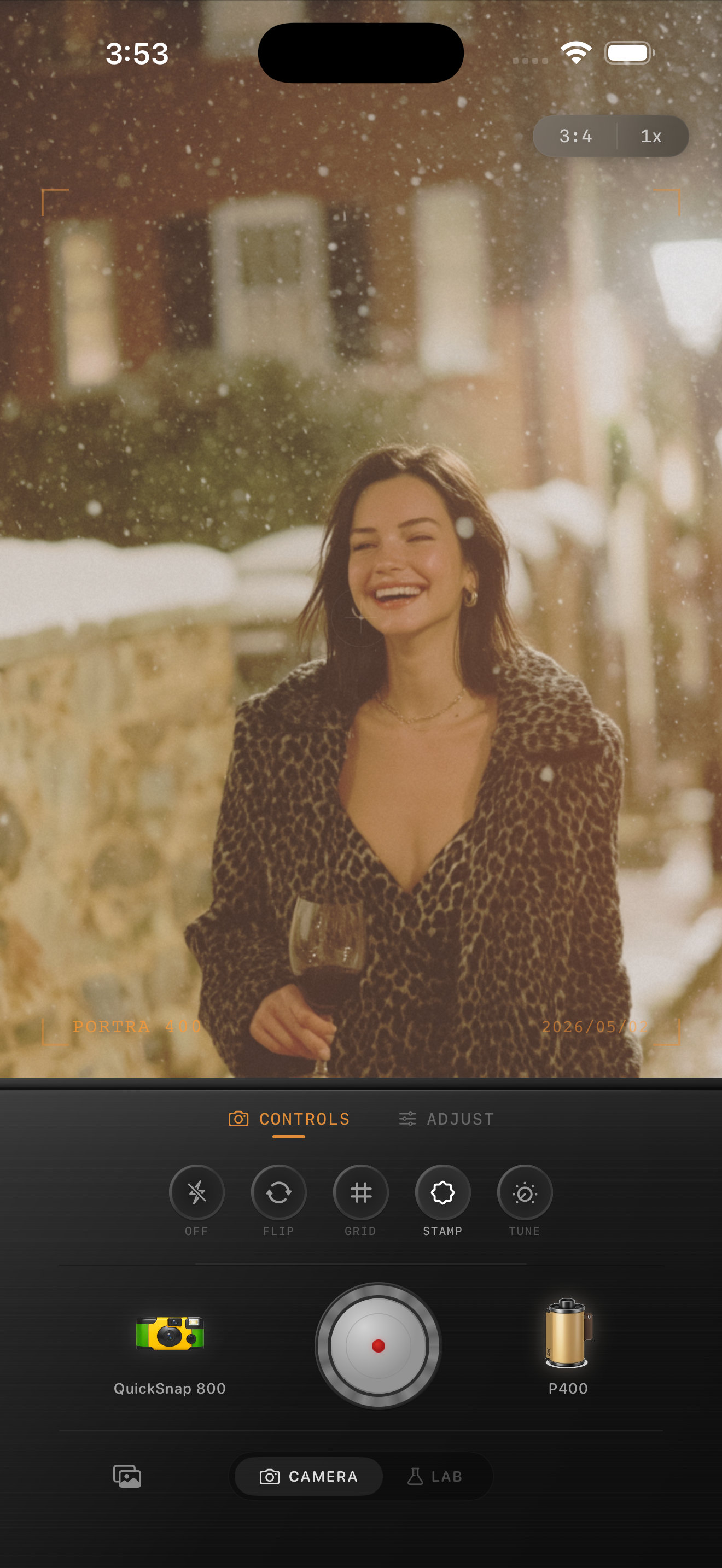
Judge the edit from faces, snow, and windows
Those three areas tell you almost everything. If faces look gray, the photo still feels too digital. If snow looks dirty, the grain or warmth is too strong. If windows or street lamps clip flat, the scene loses the cozy contrast that makes winter-night photos feel cinematic.
Once those anchors look right, the rest of the frame can stay understated. A believable film edit should make the moment feel more remembered, not more processed.
Choose a camera mood that fits the evening
A cleaner 35mm-inspired body usually works best for quiet walks, street portraits, and warm-window scenes because it keeps the image elegant. A rougher point-and-shoot or disposable touch can work for flashier snapshots after dinner, but keep it restrained so the snow does not turn messy.
In Nostalgia Cam, start with the body that matches the pace of the night, then tune grain, warmth, fade, and vignette until the photo feels like a winter print from a real evening out.
Keep winter date-night photos soft and believable
Use Nostalgia Cam to shoot or import snowy evening photos, then balance camera body, grain, warmth, fade, and vignette so cold-weather memories feel intimate, cinematic, and naturally film-inspired.
FAQ
Should snowy date-night photos be edited warm or cool?
Usually both. Keep the snow fairly neutral to cool, then let skin, windows, and lamps provide the warmer contrast so the photo still feels like winter.
How much grain works for snowy evening photos on iPhone?
Fine-to-medium grain around 24-36% is a strong starting range. It softens the digital finish without making snow, coats, or skin look dirty.