
Editing guide
Best Film Settings for Paris Street Portraits on iPhone
A practical Paris street portrait film recipe for iPhone with gentle grain, cleaner skin tones, soft daylight color, and enough contrast to keep stone, coats, and sidewalks from looking flat.
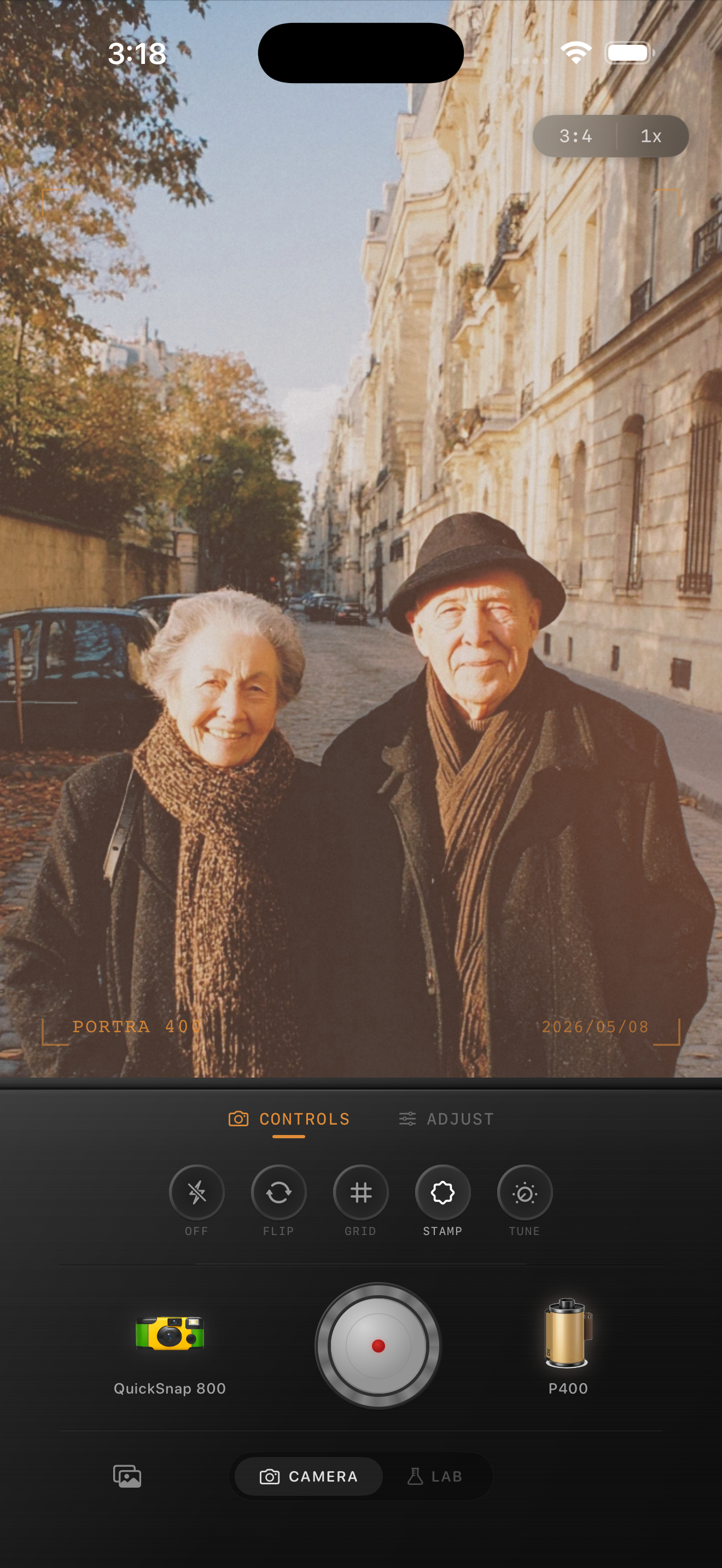
Paris street portraits need softness more than heavy nostalgia
Paris street portraits already bring a lot of what people want from a film look: pale stone, muted storefronts, layered depth, natural walking poses, and soft daylight that feels calmer than harsh midday sun. The edit should support that mood instead of covering it with obvious texture.
When the grain, warmth, and fade all go too far together, skin turns tired and the street loses its clean structure. A better film-style edit keeps the portrait gentle while letting coats, sidewalks, and background buildings stay readable.
- Use fine to moderate grain instead of rough disposable texture.
- Keep warmth small so skin stays natural.
- Let stone and pavement stay slightly neutral.
- Use fade lightly so the scene does not turn gray.
- Favor a cleaner 35mm-inspired body over a damaged look.
A dependable Paris street recipe
Start around film intensity 68-80%, grain 20-30%, warmth +3 to +7, fade 2-5%, and vignette 3-7%. That range usually softens the default iPhone finish while keeping the city light elegant and believable.
If faces start to look pale, reduce fade before adding more warmth. If the street turns muddy, lower grain first. Travel portraits usually hold together better when the analog feeling comes from softness and color cohesion rather than loud effects.
Check skin, stone, and shadow depth separately
Three quick checks catch most bad Paris portrait edits. First, look at skin tone. It should feel warm enough to be alive, but not peachy or orange. Second, look at pale stone or sidewalk surfaces. They should stay clean rather than beige. Third, look at the darkest coat or doorway in frame. It should still hold enough density to anchor the subject.
If all three checks pass, the image usually reads as a travel print rather than a preset.
Choose a camera body that fits the street
A cleaner compact-film or 35mm-inspired body usually fits Paris street portraits better than a rough disposable treatment. The atmosphere is already in the architecture, posture, and daylight. You do not need heavy dust or aggressive grain to create mood.
In Nostalgia Cam, start with the cleaner body, then tune grain and warmth until the photo feels printed. If you describe the color as Kodak-style or Fuji-style, keep that language framed as inspiration only and not as any affiliation claim.
Keep travel portraits soft and believable
Use Nostalgia Cam to combine a cleaner camera body with film-inspired color, grain, fade, and vignette so Paris street portraits feel nostalgic without losing natural skin or city detail.
FAQ
How much grain should Paris street portraits use?
Usually less than nightlife or disposable-style edits. Fine to moderate grain works best so skin and pale buildings stay clean while the image still feels less digital.
Should Paris street portraits be warmed up a lot to look like film?
Usually no. A small warmth boost is enough. If you warm the whole frame too much, skin, stone, and sidewalks can collapse into the same beige cast.