
Editing guide
Best Film Settings for Cabin Interior Photos on iPhone
A practical cabin-interior film recipe for iPhone: warm wood tones, clean lamp light, restrained grain, and enough softness to make cozy rooms feel printed instead of overfiltered.
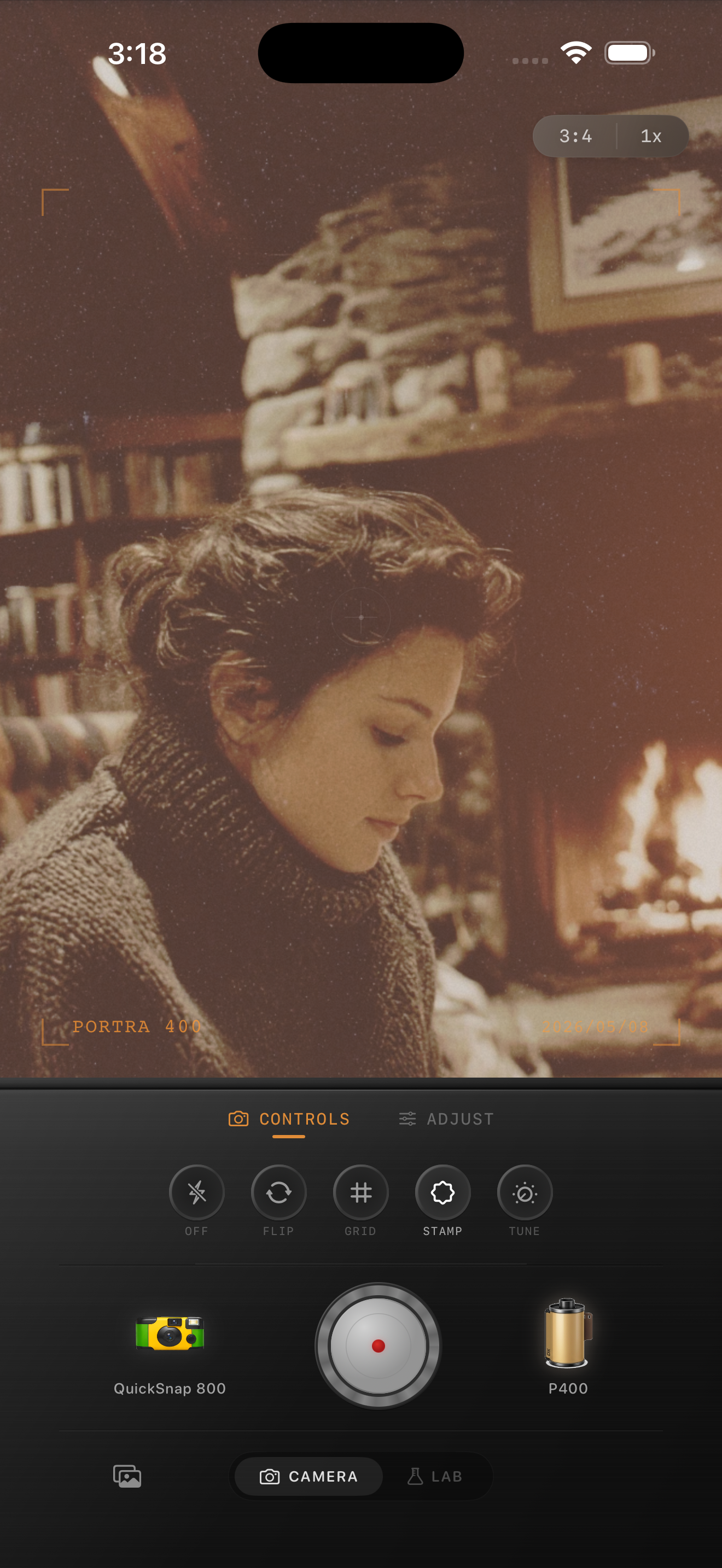
Cabin interiors need warmth without orange overload
Cabin interiors already carry a lot of the analog feeling people want: wood grain, lamp light, blankets, books, dark corners, and a slower mood. The edit should keep that atmosphere intact without pushing the entire room into muddy orange.
Most bad cabin edits fail because they stack warmth, fade, and grain all at once. A better film-style result keeps the room cozy while protecting faces, lampshades, windows, and lighter wood from turning heavy.
- Use moderate warmth, not maximum warmth.
- Keep grain fine to medium so wood texture still reads clearly.
- Add only a small amount of fade in darker rooms.
- Protect lamps and fireplaces from blowing out before adding more color.
- Let some shadows stay deep so the room keeps its shape.
A dependable cabin-interior settings recipe
Start around film intensity 72-86%, grain 22-34%, warmth +6 to +12, fade 3-7%, and vignette 4-9%. That range usually gives cabin photos enough printed softness without making the image feel smoky or dirty.
If the wood paneling starts looking too red, lower warmth first. If blankets, books, or dark corners start falling apart, reduce grain before you lower the overall film intensity.
Choose a calm camera body before adding rough texture
Most cabin interiors fit a balanced 35mm-inspired or compact-film body better than a rough disposable one. The mood is usually quiet and tactile, so a cleaner camera base gives you warmth and softness without turning the whole room chaotic.
In Nostalgia Cam, start with that calmer body first, then tune grain, warmth, and fade until the image feels like a small print from a weekend away instead of a preset dropped on a dim room.
What to adjust when the room looks flat
Flat cabin edits usually come from lifting shadows too far or adding too much fade. Pull fade back first and let the darkest areas stay darker than the lamp-lit parts of the room.
If you still want more nostalgia after that, add a little camera character or a touch more grain instead of washing out the whole scene. Cabin interiors feel better when the warmth is shaped by light, not spread evenly across every corner.
Keep cabin photos warm and believable in Nostalgia Cam
Use Nostalgia Cam to pair calm camera-body character with film-inspired color, grain, fade, and vignette so cabin interiors feel cozy, tactile, and naturally nostalgic.
FAQ
How much grain should cabin interior photos use on iPhone?
A fine-to-medium range around 22-34% is a strong starting point. It adds texture without making wood, blankets, or faces look rough.
Should cabin interior photos use a lot of fade to look filmic?
Usually no. A small fade range around 3-7% works better because dim rooms need some deeper shadows to keep their shape and warmth.