
Editing guide
How to Edit iPhone Dawn Mountain Photos to Look Like Film Without Purple Skies
A practical dawn-mountain film workflow for iPhone that keeps sunrise color natural, protects ridge detail, and avoids the purple sky cast common in overworked edits.
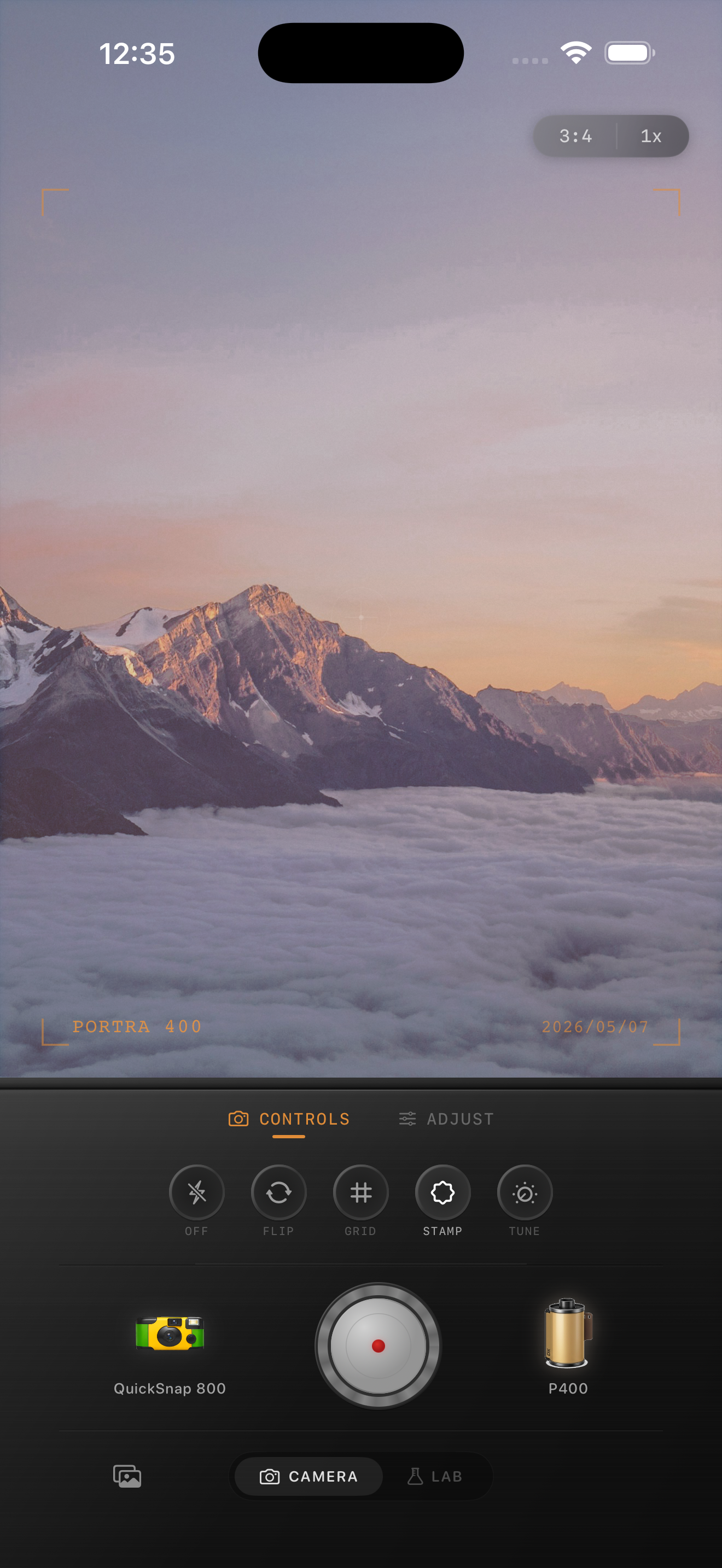
Why sunrise skies turn purple in film edits
Dawn scenes already contain delicate color transitions: cool blue shadows, warm horizon light, pale clouds, and dark ridgelines. When an edit pushes warmth, magenta, and fade too aggressively, those transitions collapse and the sky shifts into an artificial purple wash.
A believable film-style dawn photo should still feel like morning air. The sky can be colorful, but it should stay soft and layered rather than looking like a tinted overlay.
- Protect the brightest band near the horizon first.
- Use grain lightly so the sky stays smooth.
- Keep fade low enough to preserve ridge separation.
- Let the warm tones live near the sunrise instead of across the whole frame.
- Check the sky at phone-feed size before finalizing.
A practical dawn mountain recipe
Start around film intensity 68-80%, grain 20-30%, warmth +2 to +7, fade 2-5%, and vignette 4-8%. That usually softens the digital look while keeping the sunrise color believable.
If the sky starts leaning purple, reduce overall warmth or magenta bias before you add more grain. If the mountains look washed out, lower fade first. Sunrise landscapes usually work best when the color stays restrained and the ridge detail holds the composition together.
Treat the sky and land differently in your decisions
The fastest way to judge a dawn edit is to compare the sky and the ridges separately. The sky should stay airy and gradual. The mountains should keep enough contrast to feel grounded. If both areas start to share the same pink-purple tint, the edit has gone too far.
Film-inspired mountain edits usually feel better when the land remains slightly cooler and the sunrise warmth stays concentrated near the horizon. That separation is what makes the scene feel photographic instead of processed.
Pick a clean landscape-friendly body
Most dawn mountain scenes want a cleaner 35mm-inspired body rather than a rough disposable one. Landscape atmosphere comes from light, haze, and color transitions, not from heavy damage or loud texture.
In Nostalgia Cam, start with a body that keeps the scene controlled, then add a little grain, warmth, and fade until the image feels like a print from an early-morning hike. If you describe the mood with Portra-style or Fuji-style language, keep it framed as inspiration only and not as any affiliation claim.
Keep sunrise color soft, not purple
Use Nostalgia Cam to pair camera body, film-inspired color, grain, fade, and vignette so dawn mountain photos keep their natural sky transitions while still feeling less digital.
FAQ
Why do sunrise skies turn purple in some iPhone film edits?
Usually because warmth, magenta bias, and fade are all pushed too far together, which removes the natural separation between cool dawn tones and warm horizon light.
Should dawn mountain photos use strong grain?
Usually no. Dawn skies look better with lighter grain so the color gradient stays smooth and the mountain ridges remain clean.