
Film grain
How to Add Film Grain to iPhone Photos Without Noisy Skies
Keep open skies calm in iPhone film edits: compare original texture, balance grain against foreground detail, and check the finished photo at sharing size.
Let the sky set the grain limit
A film edit can look pleasantly textured across trees and buildings but distracting across a large, quiet sky. Start with no added grain, establish the color you want, then raise grain slowly while watching the open sky. Stop when the texture begins to compete with the clouds or the transition between colors, and ease it back.
Treat that as a starting point for this photograph, not a universal setting. A frame filled with branches can carry a different finish from a beach picture that is mostly sky. You can keep a nostalgic mood through color and composition even when the grain needs to stay subtle.
Check whether the texture is already in the original
Compare the same patch of sky in your original and your edit at the same viewing size. Choose an area away from the sun or a bright lamp, where you can actually see the texture. Then compare your film edit with its added grain reduced to zero.
If colored blotches or rough patches remain in the original, adding film grain will not remove them. Keep the finish restrained and try another original from the same scene if you have one. If the distracting speckles appear only after the effect, reducing added grain is the most direct adjustment. Do not keep increasing texture in an attempt to cover texture you already dislike.
- Original already looks patchy: choose a lighter finish or a cleaner source photo.
- Only the edit looks speckled: lower grain before changing color.
- Sky looks smooth but lifeless: reassess color and brightness before adding more texture.
- Foreground looks good but sky looks dirty: let the quieter sky determine the compromise.
Use two reference areas while editing
Pick one open area of sky and one recognizable foreground detail, such as a roofline, coat, or ridge. After each adjustment, look at both. A finish that suits a textured wall may be too busy above it; a finish chosen only for a perfectly smooth sky may lose the character you wanted elsewhere.
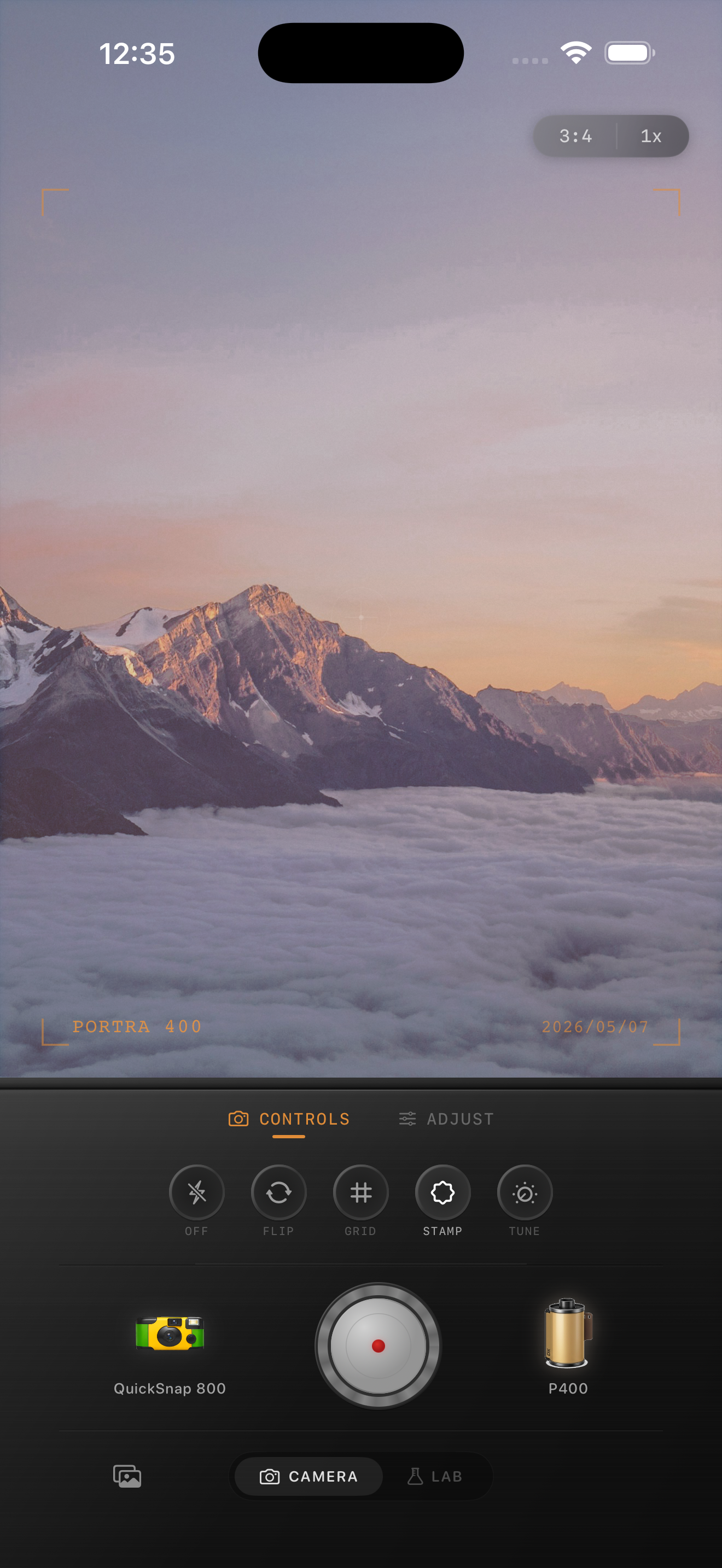
For the mountain preview on this page, use the open sky as the quiet reference and a ridge edge as the detail reference. This is a composition example, not a before-and-after test. In your own image, aim to notice the layers of the landscape before noticing the grain.
Separate color choices from texture choices
If you keep changing warmth, fade, and grain together, it becomes difficult to tell which adjustment improved the picture. First choose a film look whose sky color you enjoy with grain kept low. Refine warmth and fade, then return to grain for the final texture decision.
In Nostalgia Cam, compare camera bodies and film looks before settling on the finish. If one combination feels too rough for an open landscape, try a gentler-looking combination. Avoid forcing a busy effect to fit the frame simply because it worked on yesterday's indoor portrait.
Make one restrained version and one stronger version
Save two versions with the same crop and color treatment: one with barely noticeable grain and one with the stronger texture you first liked. View them at the size you intend to share, on the same screen and at the same brightness. Inspect a closer view for distracting patches, then return to the whole photograph to choose.
Ask where your eye lands first. If it jumps to speckles in an otherwise empty sky, choose the lighter version. If the stronger version adds atmosphere without distracting from the subject, keep it. A sky does not have to be perfectly smooth for a film-inspired edit to work; it just needs to support the picture.
Try a quieter landscape finish in Nostalgia Cam
Import your original into the Lab, compare camera bodies and film looks, and refine grain, warmth, fade, and vignette. Use an open patch of sky and a foreground detail to find a finish that suits the whole photograph.
FAQ
Why does film grain make my sky look dirty?
Texture can be particularly noticeable in a large, quiet area of sky. Compare the original and a version with added grain turned down. If the effect introduces the distracting speckles, lower it until the sky supports the subject again.
Should I use the same grain amount for every landscape?
No. Judge each composition using both an open sky area and a foreground detail. A picture with lots of empty sky may suit lighter grain than one filled with foliage or buildings.
Can adding film grain hide blotchy sky texture?
It may change the appearance, but it does not remove the underlying patches. Start from the cleanest original you have and keep added texture modest when the sky already looks rough.