
iPhone film look
Best Film Settings for Snowy Group Photos on iPhone
A practical snowy-group-photo film recipe for iPhone: clean skin tones, restrained warmth, fine-to-medium grain, and enough softness to keep winter friend photos nostalgic instead of harsh.
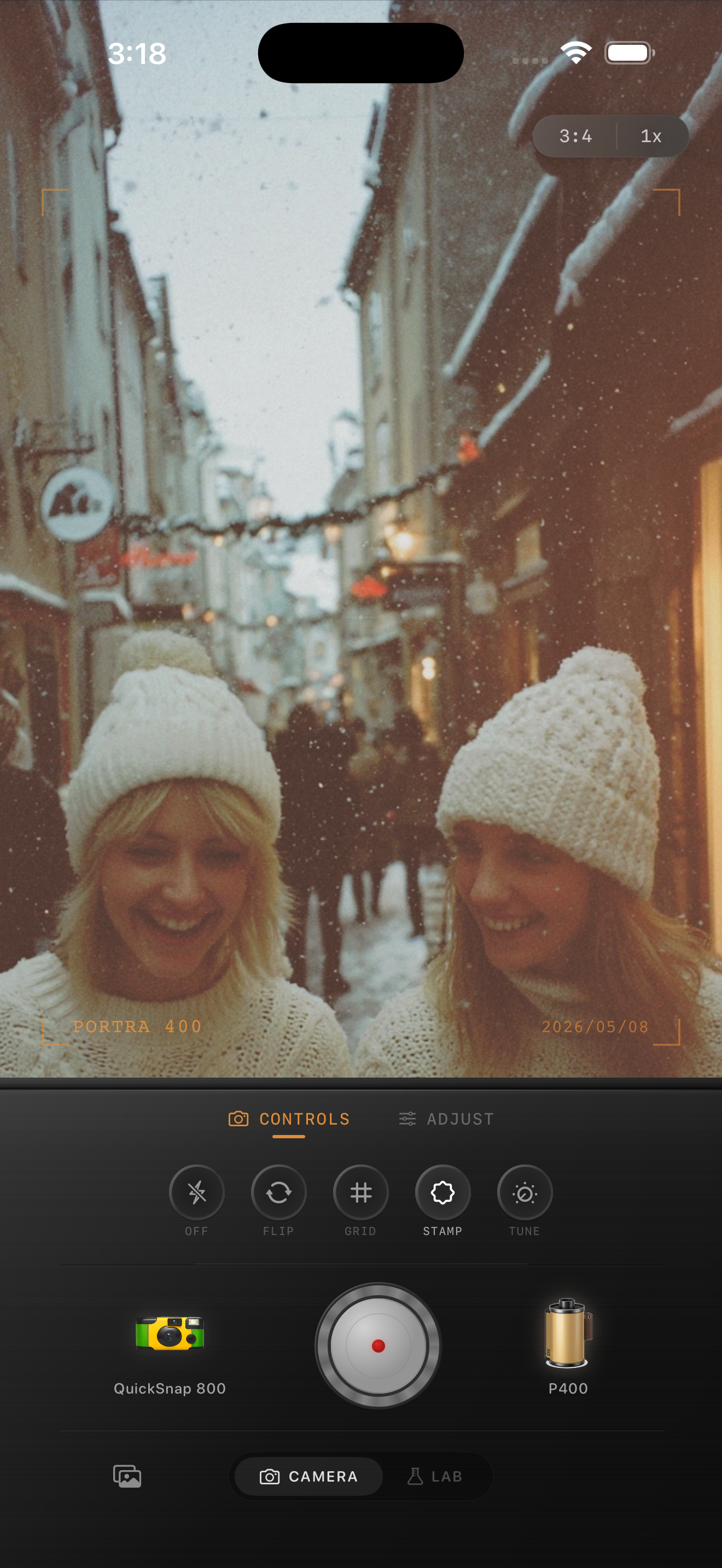
Snowy group photos need cleaner color than most winter edits
Snow gives you instant atmosphere, but it also makes iPhone processing look obvious fast. Whites can go blue, faces can turn gray, and heavy grain can make jackets and skin feel dirty instead of nostalgic.
A good film-style snowy group edit should keep the people flattering first. The snow should feel soft and printed, not crunchy or overly warm.
- Keep skin warmer than the snow, but only slightly.
- Use finer grain than you would for nightlife or direct-flash photos.
- Protect white hats, snowbanks, and bright sidewalks from looking muddy.
- Let coats, scarves, and background color keep some separation.
- Use softness and mild fade before adding stronger warmth.
A dependable starting recipe
Start around film intensity 70-84%, grain 22-34%, warmth +3 to +8, fade 4-7%, and vignette 4-8%. That usually gives enough analog texture to break the iPhone finish without making winter light feel dull.
If the photo was shot in open shade or a cloudy snowstorm, you can push warmth a little more. If the scene already has sunset light or colorful storefronts, keep warmth lower and let the environment do the work.
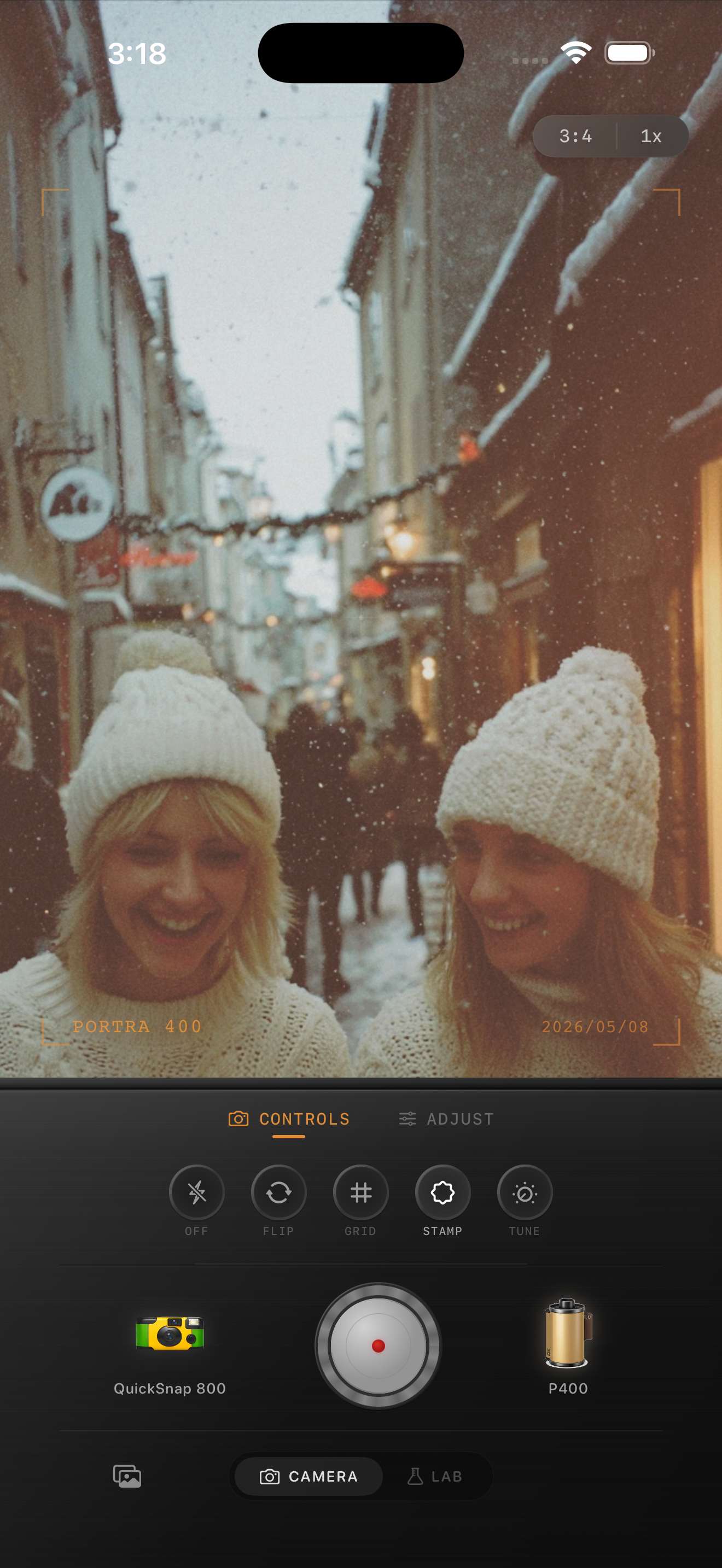
Edit from faces first, then the snow
It is tempting to judge the edit from the background because snow covers so much of the frame. That usually leads to overcorrecting the whites while leaving people flat or cold-looking.
Check cheeks, lips, and dark coats before deciding the edit is finished. Once the group looks natural, use small grain and fade adjustments to make the whole frame feel more like a print.
Choose the right camera mood
Snowy group photos usually suit a cleaner 35mm-inspired body or an everyday compact-film mood. A rough disposable treatment can work for flash-heavy ski-lodge snapshots, but it is often too messy for daylight snow scenes with several faces in frame.
In Nostalgia Cam, start with the camera body, then tune warmth and grain until the photo feels like a winter memory instead of a sharply processed phone shot.
Keep winter friend photos soft and believable
Use Nostalgia Cam to pair a cleaner film-style camera body with grain, warmth, fade, and vignette so snowy group photos feel nostalgic without turning skin gray or snow muddy.
FAQ
How much grain should snowy group photos use?
Usually less than nightlife or disposable-style edits. Start around 22-34% so the snow and faces keep detail while the photo still loses the overly clean iPhone finish.
Should I warm up snowy photos a lot to make them look like film?
Usually no. A small warmth boost helps skin, but too much makes snow look dirty or yellow. Winter film edits tend to work better with restrained warmth plus softer contrast.